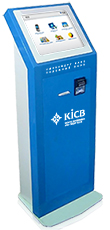
KICB electronic payment terminal
Ìý
Being in Kyrgyz Republic, you can make a donation using KICB electronic payment terminals (cash-in terminals), located throughout the country.
Cash-in terminals availibity and their placement you can findÌý.
To make a payment using KICB cash-in terminal you will need to enter yourÌýAccount Number.Ìý
Ìý
If you are:
91¿첥 alumni, please use yourÌý91¿첥 ID number. It isÌýyour account number.
If your ID number is less than 100, please insert one 0 before your ID. For example your ID is 18, please enter 018.ÌýIf ID number is less than 10, please use two 00.Ìý
If you forgot the 91¿첥 ID number, please contact with
Ìý
91¿첥 faculty or staff member,Ìý please use yourÌý91¿첥 account number.Ìý
If youÌýforgot your 91¿첥 account number, please contact with Fundraising office or HR.
Ìý
91¿첥 Friend, you need to contact Fundraising Office, to get a personal Account Number.Ìý
This number can be used for donations to 91¿첥 on a permanentÌýbasis.
Ìý
Ìý
Ìý
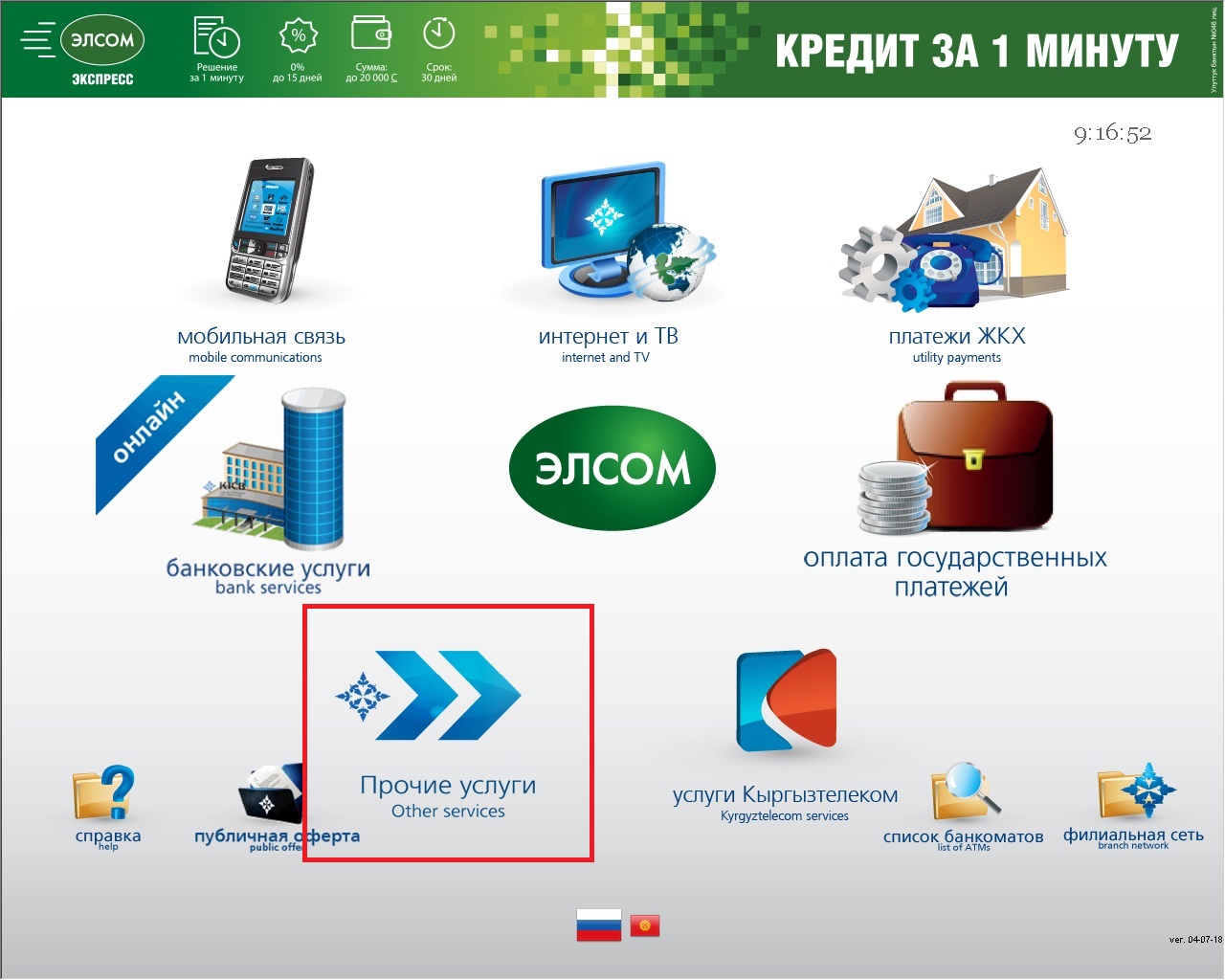
1. Select Other Services (Прочие услуги)
Ìý
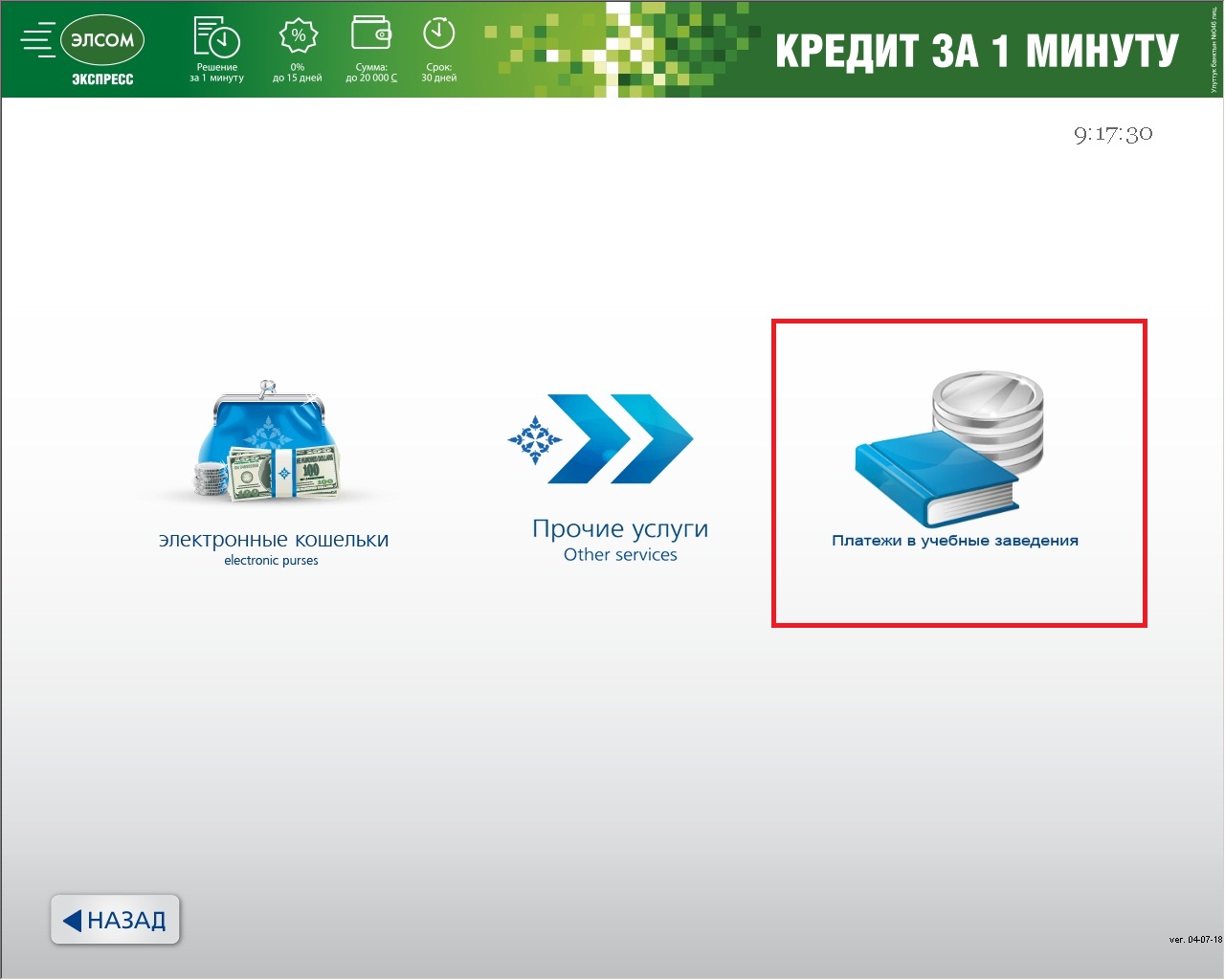
2.ÌýChoose Payments to educational institutions (Платежи в учебные заведения)
Ìý
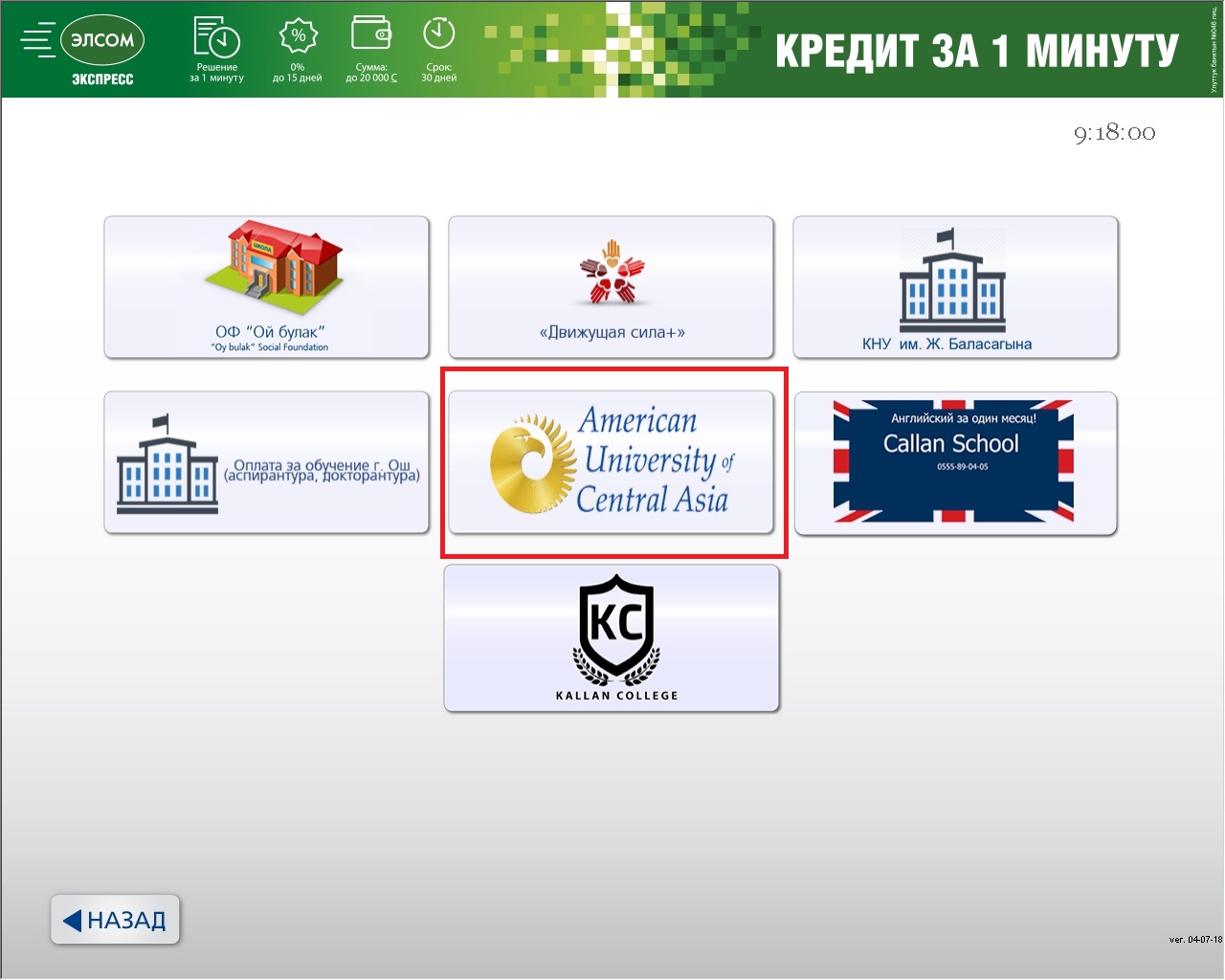
3.ÌýChoose 91¿첥
Ìý
4.ÌýChoose Support/91¿첥 Fund or ALUMNI FUND
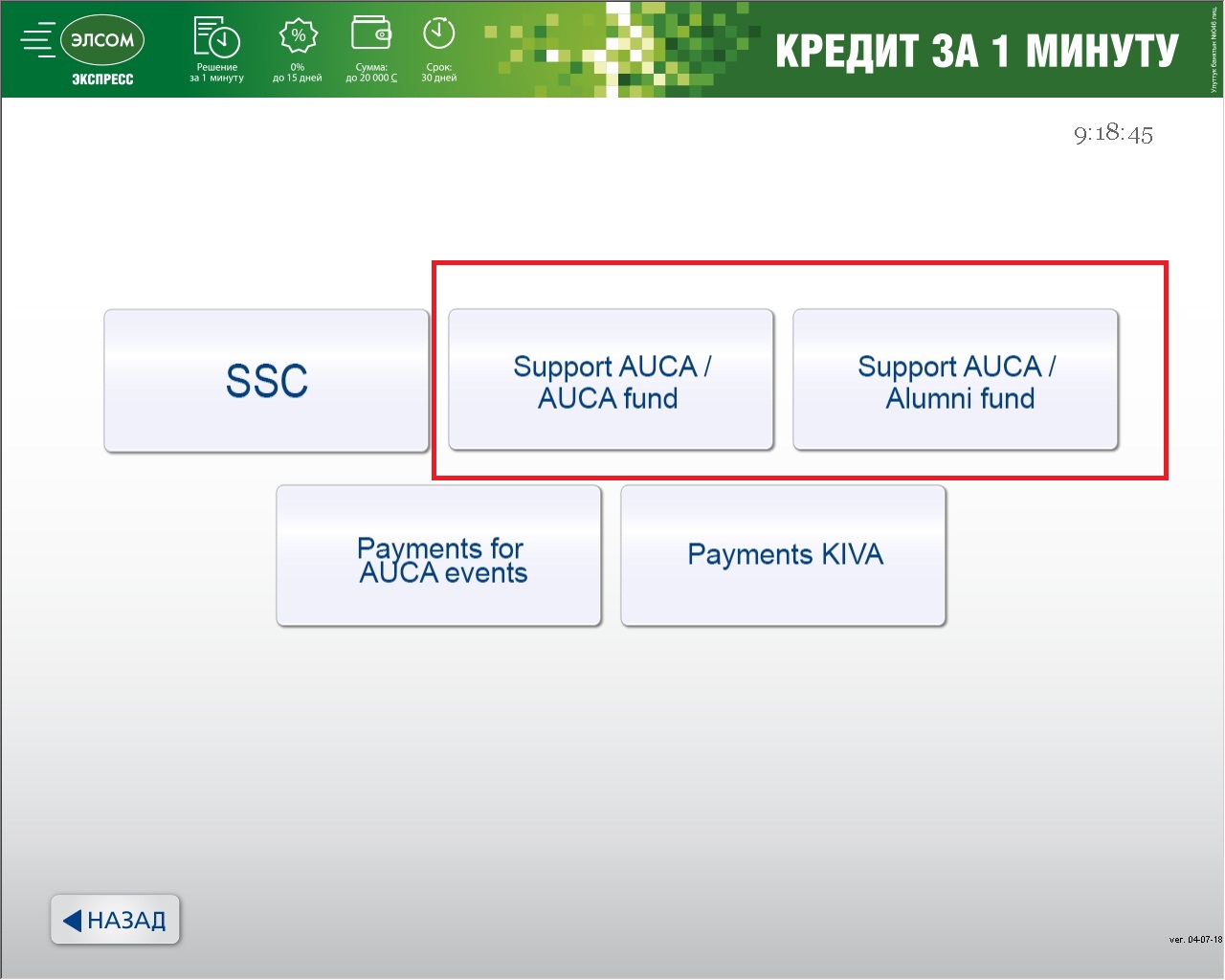
Ìý
5. If you selected 91¿첥 FUND, please indicate a priorityÌý
(click on the item on the right side of a screen)
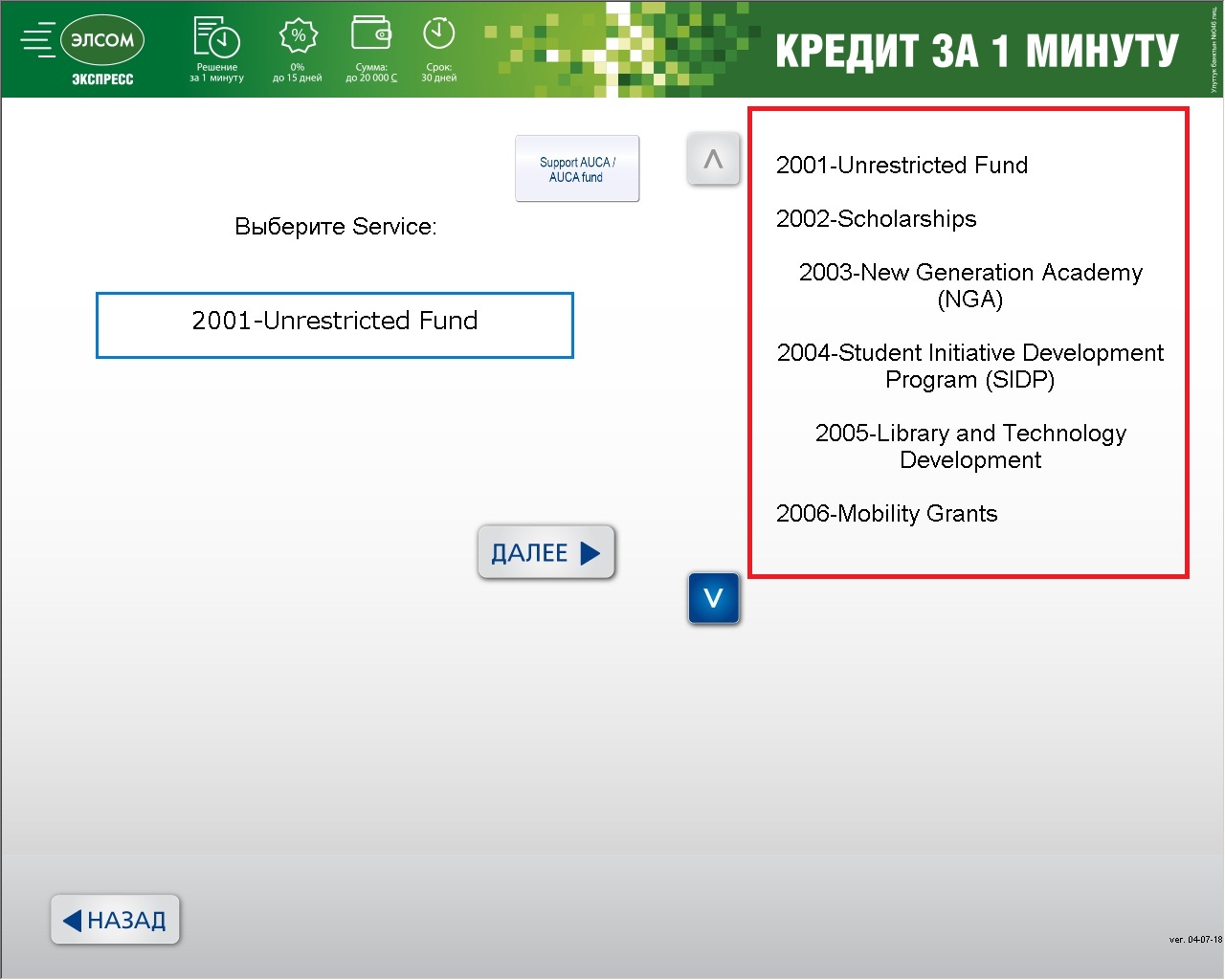
Click NEXT (Далее >)
Ìý
6. Enter your account number (please read about account numbers above)
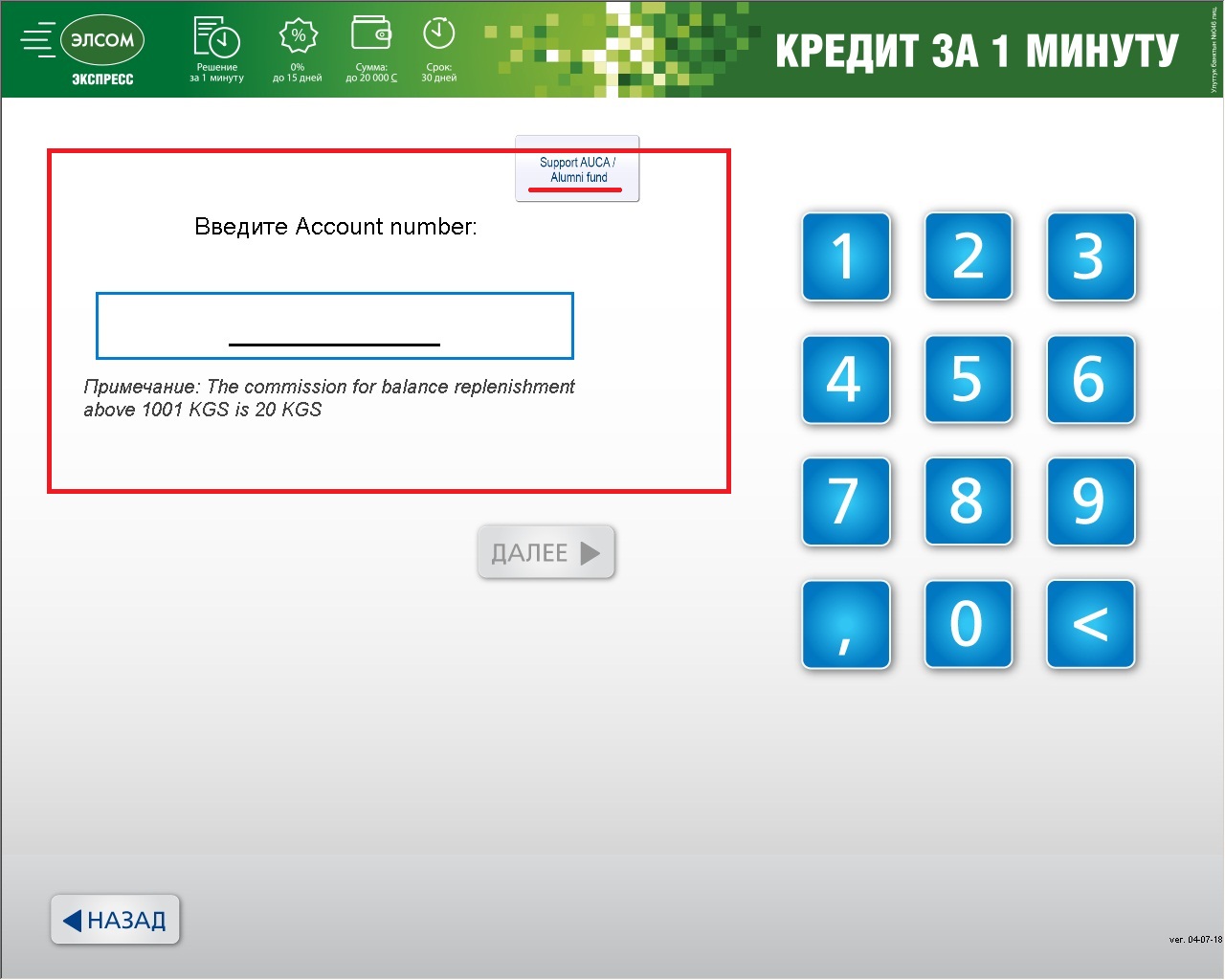
Click NEXT (Далее >)
Ìý
7. Please enter the sum for donation.
Click NEXT (Далее >)
Ìý
8. Please check that your name and sum for donation are correct.
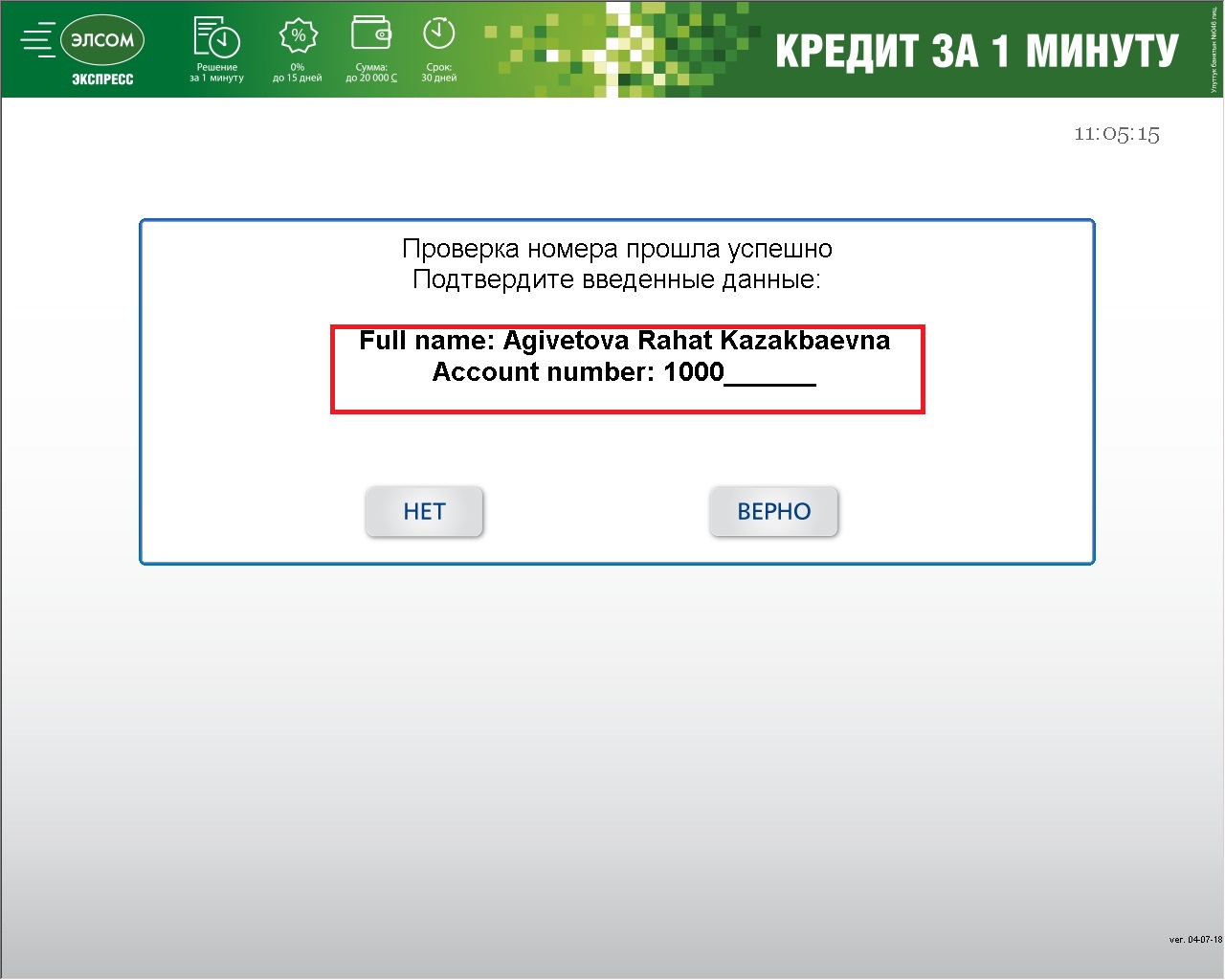
Click Right (ВЕРНО) to confirm your payment.
Ìý
You will receive a check. Please keep it.Ìý
Ìý
Please email theÌý91¿첥 Fundraising Office (fundrasing@auca.kg) or call at +(996) 312 91 50 00 + Ext. 104 about your donation,Ìýto inform the University of the transfer and ensure that it is properly credited.Ìý You can attach a photo of your check.Ìý
Please copy alumni@auca.kgÌýif you made a donation to Alumni Fund.
Ìý
Thank you very much for your donations!
